IPTV Smarters Pro Not Working? 8 Fixes That Actually Solve It (2026)
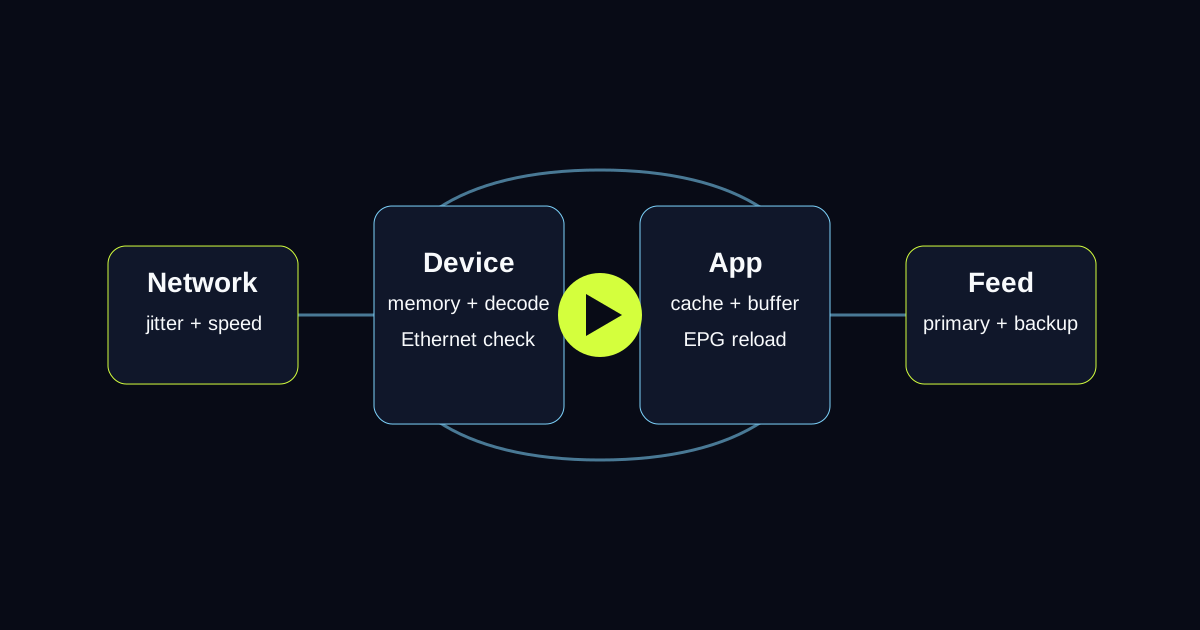
IPTV Smarters Pro is one of the most widely used IPTV players, but it also generates a disproportionate amount of support questions. Most issues come down to a small number of root causes. This guide covers the real fixes — not "restart the app and reinstall" advice, but the specific solutions that resolve each error type.
Fix 1 — Error "Xtream Codes API Not Valid" or "Wrong Login/Password"
This is the most common error and almost always means one of three things:
1. You entered credentials with a typo. Username and password are case-sensitive. Re-enter them manually rather than copying from a screenshot (screenshots sometimes compress characters). 2. Your trial has expired. Free trial accounts deactivate automatically after 24 hours. Contact your provider to extend or convert to a paid plan. 3. Your provider's server is temporarily down. Try the same credentials in VLC Media Player using the M3U URL format. If VLC fails too, the issue is the server, not Smarters.
To test if credentials are valid, paste this URL in your browser: http://[server]:[port]/player_api.php?username=[user]&password=[pass] — if it returns JSON with your account status, credentials are valid.
Fix 2 — Playlist Loads but Channels Show "Error Loading Stream"
When channels appear in the list but fail to play:
1. Go to Settings → Player → Player Settings and change the player engine from "System Player" to "ExoPlayer" or vice versa. Different stream formats need different decoders. 2. Try a different channel in the same category — if one sports channel fails but another plays, the specific stream is down, not your app or connection. 3. If all HD channels fail but SD channels work, your internet speed is the bottleneck. Test with a speed checker — you need 10 Mbps for reliable HD, 25 Mbps for 4K.
Fix 3 — App Crashes When Opening Playlist
IPTV Smarters Pro can crash when loading very large playlists (broad live TV categories) on older devices. Fixes:
1. Clear cache first: Settings → Apps → IPTV Smarters Pro → Clear Cache → relaunch 2. Use Xtream Codes login instead of M3U — Xtream Codes loads the channel list progressively, which is much lighter on device memory than importing a full M3U file at once 3. On Firestick: Enable "Force Stop" the app before reopening (Settings → Applications → Manage Installed Applications)
Fix 4 — EPG/TV Guide Not Showing
1. Open Smarters → Settings → EPG Settings → enter your provider's XMLTV EPG URL 2. Set the EPG refresh time to every 12 hours 3. Force refresh: Reload EPG button in EPG Settings 4. If EPG still fails, confirm the URL works by pasting it in a browser — it should download an XML file
Fix 5 — "Playlist Parse Error" or Blank Channel List
This means Smarters could not read your M3U file. Common causes:
- Special characters in credentials: If your username or password contains @, #, or /, they can break the M3U URL format. Ask your provider for Xtream Codes credentials to bypass this.
- Expired M3U link: Some providers use time-limited M3U URLs. Log into your provider's panel and regenerate your M3U URL.
- M3U URL has extra spaces: When pasting URLs, hidden spaces at the start or end are invisible but break parsing. Tap to position your cursor at both ends of the URL and delete any whitespace.
Fix 6 — App Works on Phone but Not on Firestick or Smart TV
IPTV Smarters Pro on Firestick and Smart TVs uses a different app version than the Android phone version. If the TV version has problems:
1. Try IPTV Smarters Pro from the Firestick Appstore — there are two Smarters apps available, the older one and the newer "Smarters Player Lite." Try both. 2. On Samsung or LG Smart TVs, clear the app's cache and data from the TV's App Manager. 3. Check that your TV's date and time are correct — certificate validation fails on devices with wrong clocks, causing authentication errors.
Fix 7 — Video Plays but No Audio
1. In the player, look for the audio track selector (usually a speech bubble icon) — your stream may have multiple audio tracks and the default is silent 2. Try switching between players: Settings → Player → change from ExoPlayer to VLC or vice versa 3. If only some channels have no audio, the stream itself is misconfigured — report the specific channel to your provider
Fix 8 — App Freezes After Loading
This is typically a memory issue on the device. Steps:
1. Close all other apps running in the background 2. On Firestick: force close the Silk browser and other apps before opening Smarters 3. If the freeze happens exactly when the EPG loads, disable EPG temporarily (Settings → EPG → turn off auto-update) to rule out EPG as the cause 4. Reduce image quality in player settings if your device is older
When the Problem is the IPTV Provider, Not the App
If you have tried all fixes above and streams still fail consistently, the issue is your IPTV subscription, not IPTV Smarters Pro. Signs of a provider problem:
- Channels work on some devices but not others
- Streams work for 10–20 minutes then drop (oversold server)
- Customer support is slow or does not answer
A quality IPTV provider maintains strong uptime and responds to issues through support channels. Test LumIPTV free for 24 hours — no credit card, and we will confirm your Smarters setup works before you pay anything.
Tired of buffering, dropouts, or poor channel quality?
Try LumIPTV on your own device first. Free 24h trial, no credit card, and 3-day money-back support if you subscribe.